In short
For a painter, profit lives in coverage and hours, not the quote. Job costing attaches paint, prep materials, sundries and your own time to the job they belong to, so the "one more coat" and the extra prep day show up as cost instead of quietly eating the margin.
In this guide
A painter can quote a room by the square foot, buy what looks like the right amount of paint, and still finish the job unsure whether it made money. The estimate was fine. The gallons, the prep, and the hours were what moved.
That gap between the quote and the real result is what job costing closes.
Why Painting Has a Specific Job Costing Problem
Paint is sold by the gallon but used by coverage, and coverage is never exactly what the label promises. A porous wall, a color change that needs two coats, a ceiling that drinks primer: each adds material and hours the quote assumed away.
Prep is where painters lose the most. Tape, plastic, filler, caulk, sandpaper, drop cloths and sundries are cheap individually and add up to real money across a job. The prep day that becomes a day and a half is pure labor cost that no one writes down.
Costed properly, a job answers itself:
| Billed | $2,400 |
|---|---|
| Paint and primer, 14 gallons | $520 |
| Prep materials and sundries | $140 |
| Your labor, 34 hours at $40 | $1,360 |
| Helper, one day | $180 |
| Mileage, two supply runs | $22 |
| Job overhead allocation | $60 |
| Profit | $118 |
Not the "roughly a grand" the quote implied. The figure only exists if the paint, the prep, and the extra coat were captured while the job ran.
Profit Per Job, Not Per Month
Job costing means recording, for each job, what it earned and what it cost, so you know the profit on this repaint, not the average across the month.
Painting work is not homogeneous. A fresh-drywall new build sprays fast and covers in one coat. An occupied repaint with heavy prep, cut-ins and dark-to-light color changes is slow and material-hungry. Blend them into a monthly total and you never learn which kind of work pays and which quietly loses.
Track per job and the pattern appears: exteriors versus interiors, new work versus repaints, spray versus brush-and-roll. That is what tells you which jobs to chase and which to quote higher.
The Costs Painters Need to Track
- Paint and primer (the swing cost). Priced by the gallon, consumed by coverage. The extra coat is the most common overrun.
- Prep materials and sundries. Tape, plastic, filler, caulk, sandpaper, drop cloths, roller covers, brushes. Small each, meaningful in total.
- Your own hours and any helper. Painting is labor-dominant. Your time at a rate you would pay someone else is the largest line, and prep hours are the ones that vanish from memory.
- Sprayer or lift rental. A rented sprayer, scaffold or lift for a specific job is a job cost.
- What stays in overhead. Your van, ladders you own, insurance, licensing. Those belong in general business accounting, not the per-job number.
What Good Job Costing Looks Like
The rule that makes it work: capture the cost when it happens and attach it to the job in the same action. When you leave the paint store, the receipt is captured in the parking lot, not tonight, not on the weekend. Log prep hours and the helper's day the same way. When the job is done, the profit figure is real because it was built purchase by purchase, not reconstructed from memory.
You can pressure-test a quote before you commit to any of this. The free job profit calculator takes the billed amount, your paint and prep, and your hours and shows the margin in seconds, and the job costing spreadsheet template keeps the same picture across a whole season. For the wider method, start with the complete guide to job costing and how to track job costs from receipts. Other trades hit different snags: electricians, carpenters and general contractors.
Job Costing and Your Taxes Are Different Jobs
Your Schedule C groups expenses by type (supplies, contract labor, car and truck) and does not care which job the paint belonged to. Job costing is a management tool, not a tax form: your accountant uses the category totals, you use the per-job numbers. Scanning every receipt as you go means the tax substantiation already exists, dated and categorized, when you need it. If a term is new, the job costing glossary keeps the definitions plain.
What did that job really make?Profit and margin for any job in seconds.What VanReceipts Does for Painting Job Costing
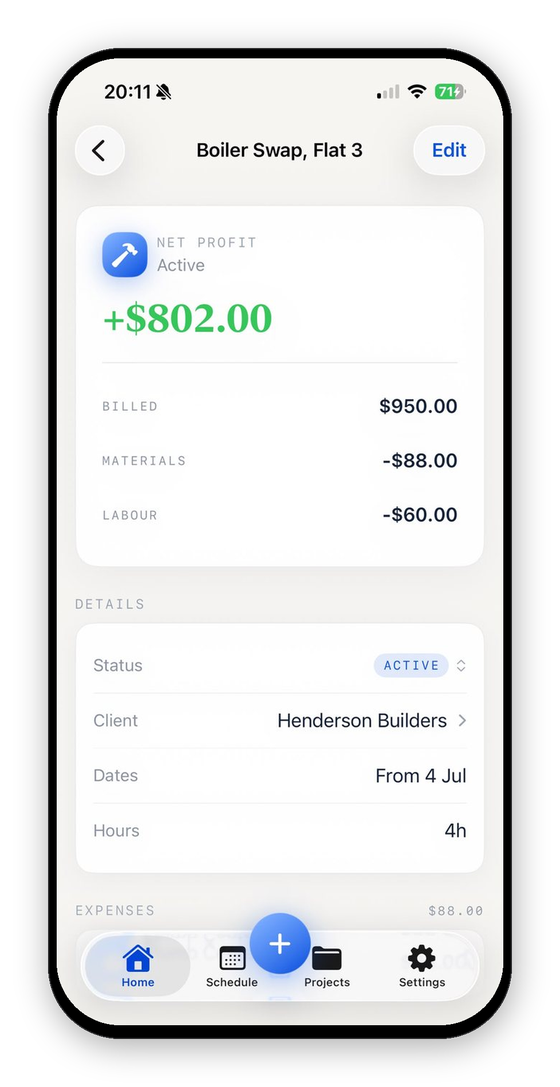
VanReceipts is an iPhone app built for this loop. Scan the paint-store receipt on the job. Cloud AI reads the total and every line item, you confirm the read, and pick the job it belongs to. Add your hours and the profit on the job updates live: billed, paint, prep, labor, mileage, current net. No spreadsheet, no month-end reconstruction.
Start With Your Next Job
Set up your next repaint, scan every receipt from it, log the prep hours honestly, and compare the final profit to what you quoted. That one comparison tells you whether your coverage-and-hours instinct is right or whether the extra coat has been costing you all along.
Free to make and send invoices and estimates. VanReceipts lets you look around free with sample jobs, then Pro (3-day free trial on the yearly plan) adds AI estimates, card payments, scanning and your real jobs: unlimited scans, crew labor, full profit history, and iCloud sync.
What a finished job cost is the best input to the next bid. How to bid a painting job works a room from square footage to price, and the free painting estimate template and painting invoice template keep prep, coats and colors on their own lines.
VanReceipts is an iPhone app for trade businesses: AI estimates, invoices and card payments, with receipts, mileage and hours on the same job so you can see what it made. Cloud AI drafts estimates and itemizes receipts, and you confirm everything before it saves. Free to make and send invoices and estimates. Pro is $14.99 per month or $99.99 per year, with a 3-day free trial on the yearly plan.