In short
For a carpenter, profit leaks through offcuts, hardware, unbilled shop time and finish-work scope creep. Job costing attaches every board, box of fasteners and hour to the job, so the waste and the "while you're here" changes show up as cost instead of vanishing.
In this guide
A carpenter can price a deck or a run of built-ins accurately and still finish unsure of the margin. Lumber prices moved, the offcuts piled up, the client added trim, and a few hours of shop time never made it onto the invoice.
Job costing closes that gap.
Why Carpentry Has a Specific Job Costing Problem
Lumber is priced by the board or sheet but used with waste: offcuts, defects, the extra sheet you buy so you are not short. Waste is real cost that no quote fully predicts, and it varies with the design.
Finish and trim work is where scope creeps. "While you're here" becomes another hour of casing, another box of fasteners, a return trip for one more length of stock. Individually small, together a chunk of the margin. And shop time (cutting, assembling, finishing off-site) is real labor that often goes unbilled because it did not happen at the client's address.
Costed properly, the job answers itself:
| Billed | $3,200 |
|---|---|
| Lumber and sheet goods | $680 |
| Hardware, fasteners, finish | $210 |
| Waste and offcuts | $70 |
| Your labor, 40 hours at $45 | $1,800 |
| Shop time, 6 hours | $270 |
| Mileage, three runs | $28 |
| Job overhead allocation | $70 |
| Profit | $72 |
The number is real only if the extra sheet, the added trim and the shop hours were captured while the job ran.
Profit Per Job, Not Per Month
Job costing records what each job earned and cost, so you know the profit on this built-in, not the monthly average that hides the losers.
Carpentry work is not uniform. A simple deck rebuild with dimensional lumber is predictable. A custom, finish-heavy job with hardwood, tight tolerances and a fussy client is slow and material-hungry. Track per job and you learn which work (decks, framing, trim, custom cabinetry) actually pays and which just keeps you busy.
The Costs Carpenters Need to Track
- Lumber and sheet goods (the swing cost). Priced by the board or sheet, moved by price swings and design. The extra sheet and the upgrade to clear stock add up.
- Hardware, fasteners and finish. Screws, brackets, glue, stain, hardware. Cheap per item, real per job.
- Waste and offcuts. Not a receipt line, but a real cost worth a rough per-job note.
- Your hours, including shop time. On-site and off-site labor both belong to the job. Shop time is the most commonly missed line.
- Tool rental. A rented planer, sander or lift for a specific job is a job cost.
- What stays in overhead. Your own tools, van, insurance, licensing.
What Good Job Costing Looks Like
Capture the cost when it happens and attach it to the job in the same action. The receipt from the lumberyard goes into the job in the parking lot; shop hours go in at the end of the day. When the piece is delivered, the profit figure is built from real numbers, not reconstructed from a week of runs and cuts.
Test the quote before you build the system. The free job profit calculator turns a billed amount, your materials and your hours into a margin in seconds, and the job costing spreadsheet template keeps a year of jobs in one place. For the wider method, start with the complete guide to job costing and how to track job costs from receipts. Other trades: painters, general contractors and electricians.
Job Costing and Your Taxes Are Different Jobs
Your Schedule C wants category totals (supplies, contract labor, car and truck), not per-job numbers. Job costing sits alongside it: the accountant uses the totals, you use the per-job margin. Scanning receipts as you go means the substantiation is already dated and categorized at tax time. If a term is unfamiliar, the job costing glossary keeps it plain.
What did that job really make?Profit and margin for any job in seconds.What VanReceipts Does for Carpentry Job Costing
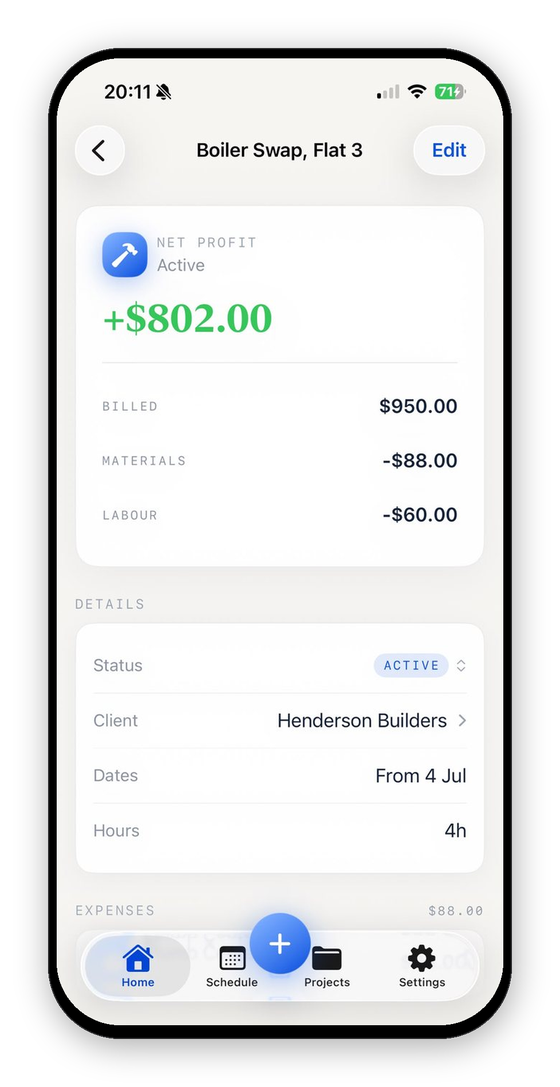
VanReceipts is an iPhone app built for this loop. Scan the lumberyard receipt on the job. Cloud AI reads the total and every line item, you confirm the read, and pick the job it belongs to. Add on-site and shop hours, and the profit on the job updates live: billed, materials, labor, mileage, current net. No spreadsheet, no month-end reconstruction.
Start With Your Next Job
Take your next build, capture every material run against it, log the shop hours honestly, and compare the final profit to your quote. That comparison tells you whether waste and unbilled time have been quietly thinning every job.
Free to make and send invoices and estimates. VanReceipts lets you look around free with sample jobs, then Pro (3-day free trial on the yearly plan) adds AI estimates, card payments, scanning and your real jobs: unlimited scans, crew labor, full profit history, and iCloud sync.
Before the next bid, check your rate. The labor cost calculator shows what an hour really costs once payroll taxes and unbilled time are in, and the free contractor estimate template and change order template cover the paperwork.
VanReceipts is an iPhone app for trade businesses: AI estimates, invoices and card payments, with receipts, mileage and hours on the same job so you can see what it made. Cloud AI drafts estimates and itemizes receipts, and you confirm everything before it saves. Free to make and send invoices and estimates. Pro is $14.99 per month or $99.99 per year, with a 3-day free trial on the yearly plan.