In this guide
Housecall Pro is at its best when phones ring, jobs get booked, and technicians get dispatched, with routes, GPS and commissions to match. If that's your business, it's worth what it costs. If you're one person who quotes, does the job and bills for it, much of the platform sits unused. Below is what each option covers, with Housecall Pro's prices as listed on its pricing page on September 28, 2026.
Price
| Housecall Pro | VanReceipts | |
|---|---|---|
| Entry plan | Basic, $79/mo monthly or $59/mo billed annually, 1 user | Pro, $14.99/mo or $99.99/yr |
| Next plan | Essentials, $189/mo monthly or $149/mo annually, 5 users | One plan |
| Card payments | "As low as 2.59%", bank payments 1% | Stripe's standard fees on your own Stripe account, no VanReceipts cut |
Features side by side
| Housecall Pro | VanReceipts | |
|---|---|---|
| Estimates | Yes, quotes and proposals | Yes, with AI drafting from a photo or voice note |
| Invoices and payments | Yes | Yes, pay link by card, wallet or bank |
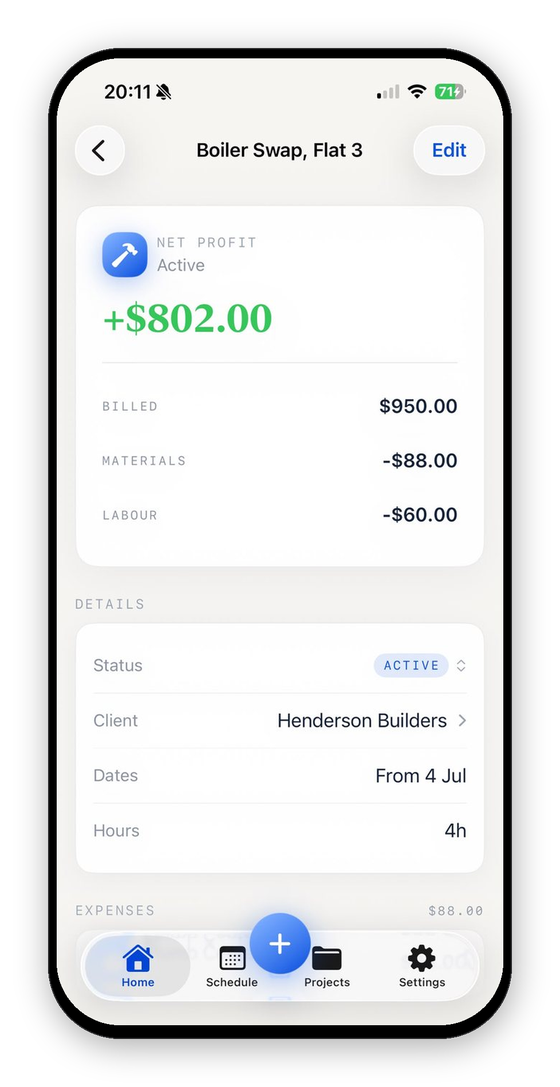
| Job costing | Listed on Basic | Yes, from receipts, mileage and hours |
| Receipt scanning to the job | Not listed | Yes |
| Scheduling and dispatch | Yes | No |
| Online booking | Yes | No |
| Price book, flat-rate pricing | Price book on Basic, flat rate from Essentials | No price book; AI drafts, you edit |
| Consumer financing | Yes | No |
| QuickBooks Online sync | Essentials and up | No, CSV and Excel export |
| Platforms | iOS, Android, web | iPhone and iPad only |
Choose Housecall Pro if
- You book and dispatch technicians, or plan to within the year.
- You sell bigger tickets where consumer financing closes the job.
- You run from a flat-rate price book that techs present on site.
- Anyone on the team is on Android or a desktop.
Choose VanReceipts if
- You're a one-person business, or you and a helper, and the paperwork is yours.
- You want the estimate, invoice, payment, receipts and job profit in one iPhone app without paying for dispatch.
- You'd rather describe a job and edit a draft than build and maintain a price book.
Other comparisons
Jobber is Housecall Pro's closest rival for crews. Joist is the lighter, cheaper option for estimates and invoices. For the paperwork itself, the estimate template and invoice templates are free.
If most of your work comes through property managers, the free work order template covers the PO number, access notes and not-to-exceed limit they expect.
What did that job really make?Profit and margin for any job in seconds.FAQ
Is Housecall Pro worth it for a solo contractor?
It can be if you need online booking and financing. If you mainly write estimates, send invoices and get paid, a focused app costs far less and has fewer screens to learn.
What is cheaper than Housecall Pro?
Estimate and invoicing apps without dispatch usually cost a fraction of the price. The trade-off is that they don't book, route or track a crew.