In short
A basic OCR receipt scanner reads a total. That is not enough for job costing, because one supply house receipt often covers several jobs or mixes job materials with van stock. What separates a useful receipt scanner from a lump-sum one is whether it reads every line item accurately, even on a faded, columnar thermal receipt, and whether it lets you confirm the read before it counts.
In this guide
Search for an OCR receipt scanner and most of what comes back can do one thing reliably: read a total off a receipt. For a shopping app or an expense report, that is usually enough. For a tradesperson costing a job, it is not, because a $220 supply run rarely belongs to a single job, and a total tells you nothing about which $140 went where.
What OCR Actually Does
OCR stands for Optical Character Recognition. In the context of a receipt scanner, it means: look at this image of printed or handwritten text, and convert it into structured digital text.
For a receipt, the useful output is the store name, the date, the line items, the subtotal, the tax, and the total. A good pipeline reads all of those accurately. A basic one grabs the total and calls it done, because the total is the one line on the page with an obvious label and a big font.
The challenge is that receipts are not clean documents. Thermal receipt paper is narrow, font sizes vary, printing fades at the edges, and column alignment is inconsistent. Reading the total is comparatively easy. Reading every line item, correctly matched to its price, is where most receipt scanners fall down.
The Thermal Receipt Challenge
Thermal receipts, the kind printed by most supplier point-of-sale systems, present a specific challenge: the text is printed in columns, not a single continuous flow.
A supply house receipt might show:
12-2 Romex 50ft        14.99
Device boxes x10       12.50
Load center 10-space   89.95
A basic text reader sees text positioned at different horizontal offsets and can read it as a jumble: "12-2 Romex 50ft Device boxes x10 Load center 10-space 14.99 12.50 89.95," mixing descriptions and prices into one stream instead of three matched pairs.
Getting this right means reconstructing which price belongs to which description, not just recognizing the characters. Get it wrong and the line items are unusable even though the total might still be correct, because the total is one number in a fixed place on the page while the line items require understanding the receipt's layout.
Why a Total Is Not Enough for Job Costing
A receipt scanner that only reads the total is fine for an expense report. It is not enough for job costing, for a reason specific to trade work: one receipt often does not belong to one job.
- One supply run, several jobs. A single trip to the supply house frequently covers materials for more than one active job. The total lumps the cost together; only the line items show which part belongs to which job.
- Job materials mixed with van stock. You buy for the job in front of you and top up stock in the same transaction. Without line items, the job's cost is inflated by materials that were never used on it.
- Warranty and dispute records. Line items give you an exact record of which part came from which receipt, useful if a warranty question comes up later.
A scanner that hands you a total and nothing else pushes that splitting work back onto you, by hand, later, which is exactly the kind of task that gets skipped at the end of a long day.
How VanReceipts Reads a Receipt
With VanReceipts Pro, every scan is read by cloud AI: the vendor, date, total and every individual line item, including columnar thermal layouts and faded print, the cases that break a basic scanner. The phone also reads the receipt itself, and that read is the fallback: with no signal you still get the vendor, date and total.
The itemization runs in the cloud, because the read quality on a messy receipt is better than a local-only pass can manage. The receipt image goes over a secure connection to the cloud AI service. Scanning is part of VanReceipts Pro, with unlimited scans, and itemization is not a feature you turn on for hard receipts, it is simply how a scan gets read. In a dead zone at a job site, the on-device read still gives you the vendor, date and total, so you are not blocked; the line items need a connection.
Every read comes back as an editable preview before anything saves. You pick the job, then confirm it, or fix it in a few taps if a word got mangled. Nothing is silently assumed, which matters more than raw OCR accuracy: a fast, wrong number is worse than a slightly slower, correct one, and the confirm step is what keeps a bad read from quietly becoming a bad job cost.
Basic OCR vs AI-Powered Itemization: A Direct Comparison
| Factor | Basic OCR (total only) | AI-powered itemization (VanReceipts) |
|---|---|---|
| Reads the total | Yes | Yes |
| Reads individual line items | Rarely, or unreliably | Yes |
| Handles columnar thermal layouts | Often scrambles them | Built for them |
| Handles faded print | Varies | Built for it |
| Result shown before it counts | Varies by app | Always, as an editable preview |
| Shows which parts went on the job | No, one lump sum | Yes, line by line |
| Works with no signal | Depends on the app | Yes: the phone reads vendor, date and total, and the lines need a connection |
Which Apps Actually Itemize a Receipt
Rewards and cashback apps (Fetch, Receipt Hog, Ibotta) read receipts for a different purpose entirely: confirming purchases for points, coins or cash back, not extracting job costs. They are not a relevant comparison here.
Generic expense apps (Expensify and similar) read receipts well for an expense report. Expensify's SmartScan fills in the merchant, date and amount, and you can tag the expense to a job, but it is built for expense reports, not for showing what each job made. (Competitor features checked on each company's own site, October 2026.) That is a different problem from job costing, covered in the receipt scanner tradespeople actually need.
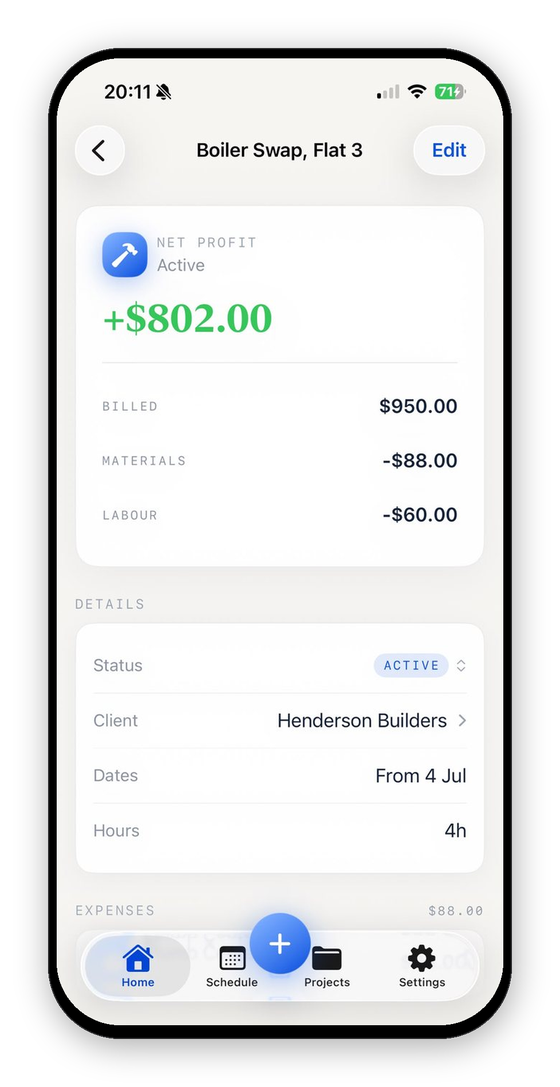
VanReceipts reads the total and the line items, files the receipt to the job you pick, and updates that job's profit figure the moment you confirm.
Why This Matters Specifically for Tradespeople
Consider the typical scenario: you have just left an electrical supply house with a thermal receipt carrying six line items, some for the job you are on, one or two for stock. You want to log it accurately and move on.
With a total-only scanner: you get one number, dumped on whichever job you tell it to, and the split between this job and your van stock never gets recorded. Three weeks later nobody remembers which items went where.
With line-item itemization: you get six lines, so you can see which parts went on this job and which were van stock, and fix the amount in the parking lot while you still remember which was which. The habit that actually survives a busy week is the one that takes seconds, not the one that requires a spreadsheet later.
What did that job really make?Profit and margin for any job in seconds.FAQ
What is the difference between OCR and itemization?
OCR converts an image of text into digital text. Itemization goes further: it identifies which piece of text is a line item, which is its price, and reconstructs the pairing correctly even when the receipt's layout is columnar or the print is faded. A receipt scanner can do the first without doing the second well.
Do I need to be online to scan a receipt with VanReceipts?
The line items need a connection, because cloud AI is what reads faded and columnar receipts most accurately. With no signal, the app still reads the vendor, date and total on your phone, so a dead zone does not block you.
Is my receipt data private?
With Pro, the receipt image goes over a secure connection to a cloud AI service to be itemized, and the details are in the privacy policy. Your books live on your phone and in your own private iCloud, and nothing saves to a job until you confirm the read yourself.
Why do some receipt scanners only get the total right?
Because reading a total is comparatively easy: it is one number, usually in a predictable spot with a clear label. Reading every line item correctly requires understanding the receipt's layout, which is a harder problem that many scanners do not solve.
Getting Started
VanReceipts is an iPhone app built for tradespeople: estimates, invoices, mileage, receipt expenses, and per-job profit. Point the camera at your next supply house receipt, confirm the read, and see it land on the right job.
Free to make and send invoices and estimates. Scanning, jobs, and export are part of VanReceipts Pro: $14.99 a month, or $99.99 a year with a 3-day free trial on the yearly plan. You can look around first with sample jobs.
Download VanReceipts on the App Store and see what a properly itemized receipt looks like.